
DataEyesAI 2.4 Update: Wallet Redesign, Smart API Routing & Auto-Renewal

The DataEyesAI dashboard has been upgraded to version 2.4, with improvements to billing management, subscription renewal, and API call routing. Here's what changed.
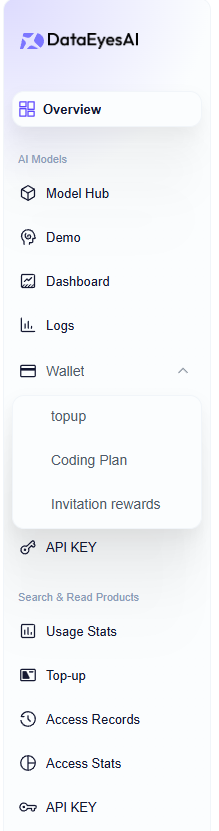
01 Wallet Redesign
Billing information previously spread across multiple pages is now consolidated into the Wallet module with three tabs:
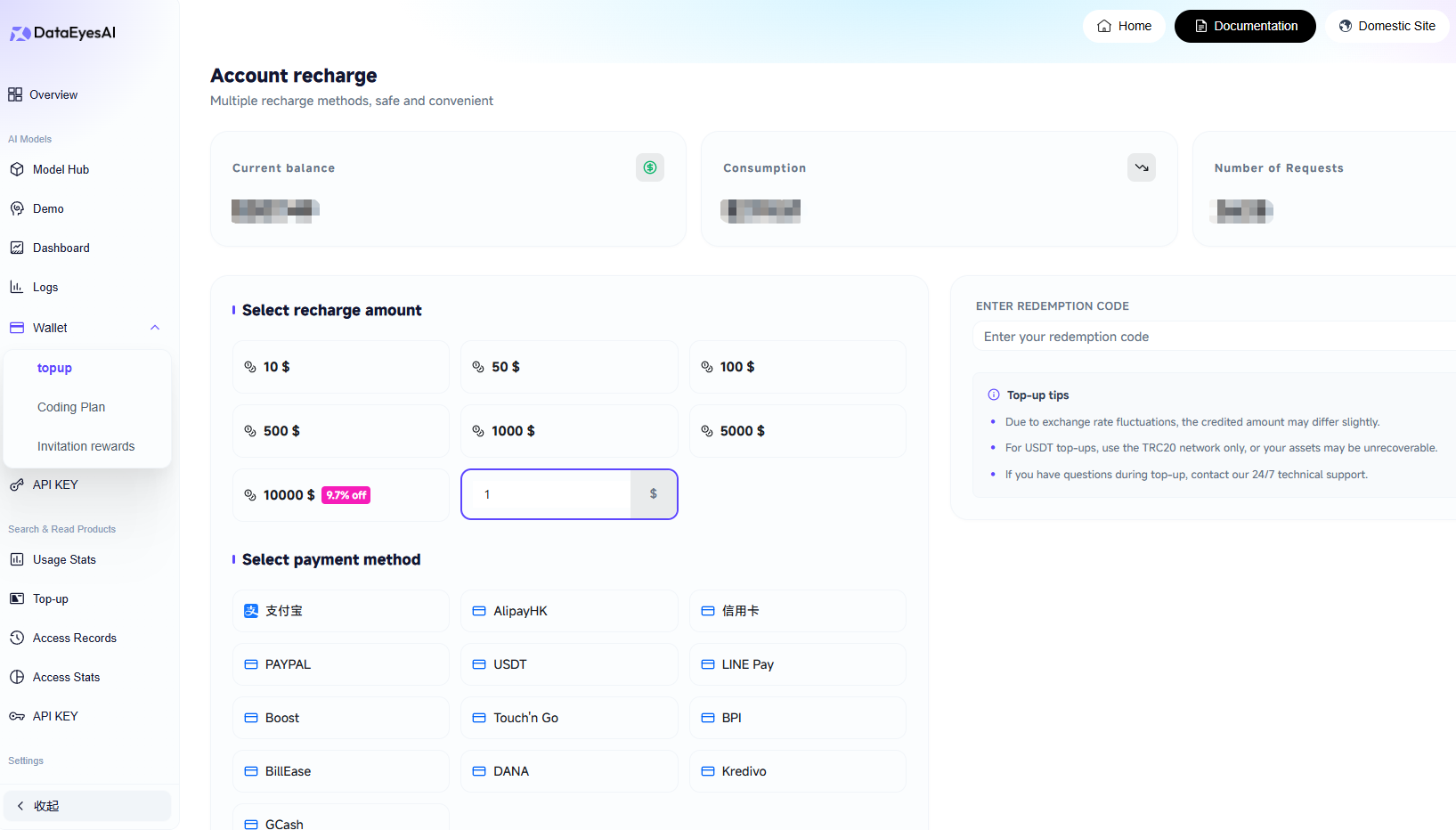
Top Up — View current balance, usage history, and request count. Supports flexible top-up amounts with volume discounts for larger deposits.
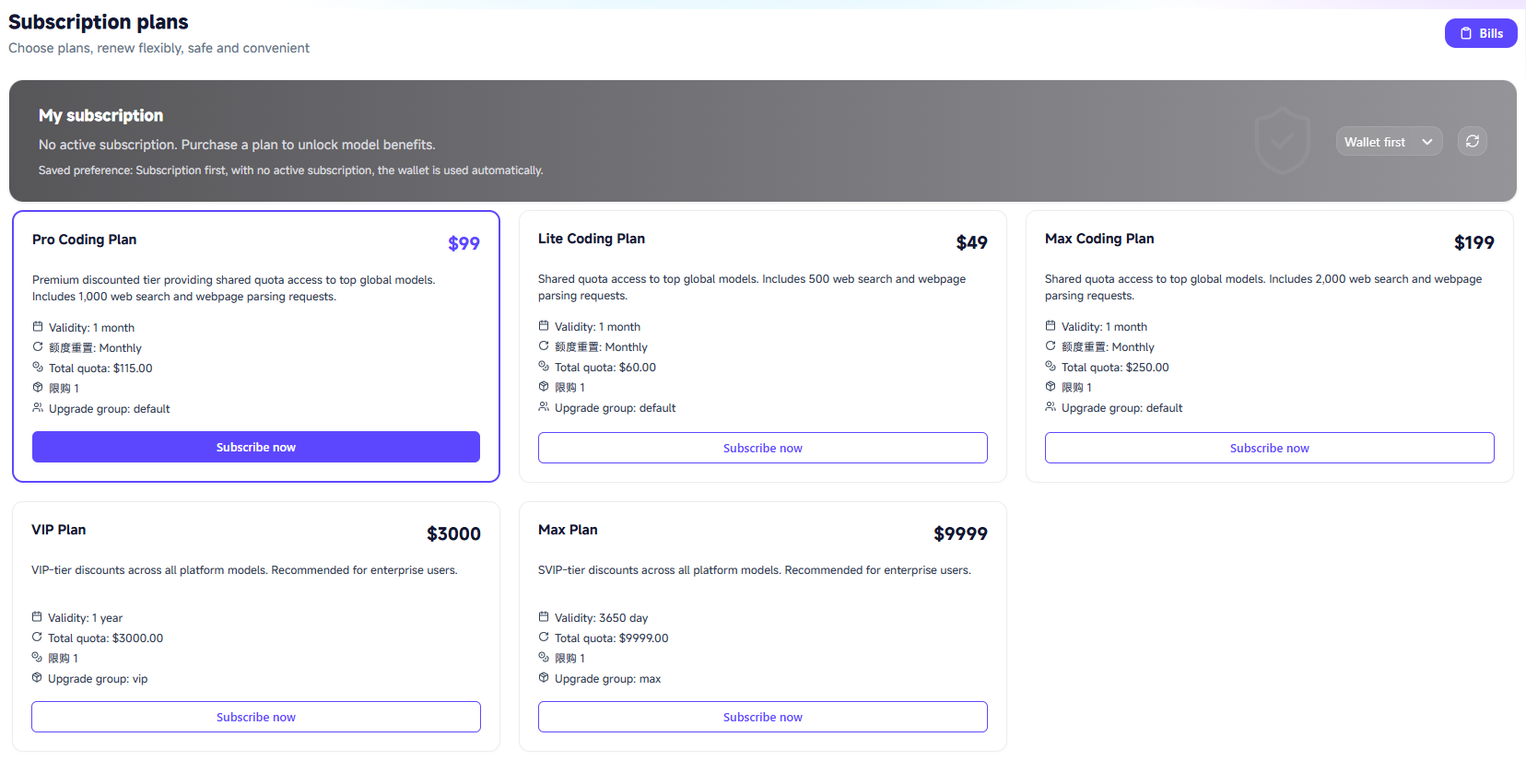
Coding Plan — Browse and purchase all available subscription plans in one place.
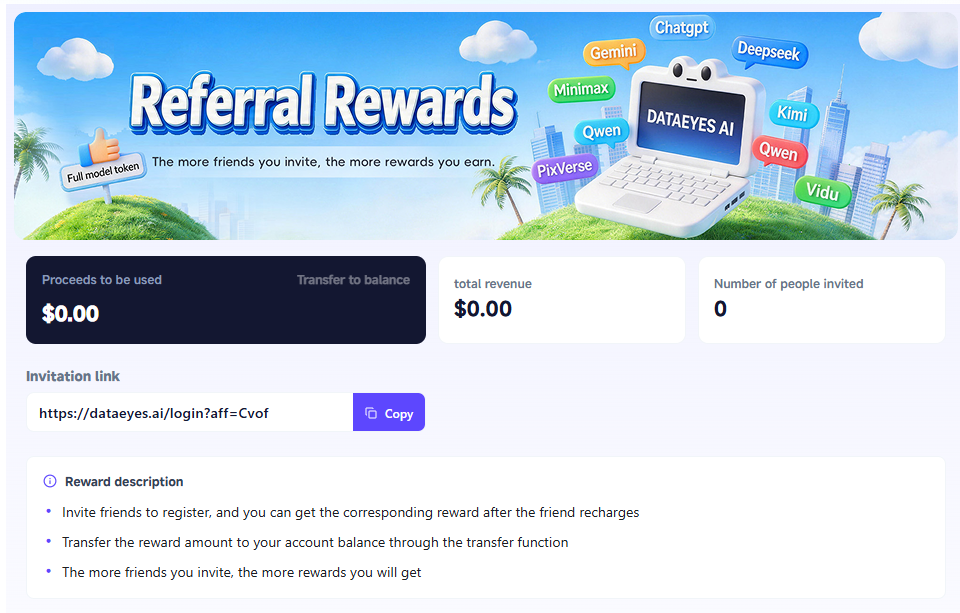
Referral Rewards — Track your referral earnings with one-click transfer to your account balance.
Balance, subscriptions, and referral income — all managed from a single page.
02 Auto-Renewal for Subscription Plans
When purchasing Pro Coding Plan, Lite Coding Plan, or other subscriptions, you can now enable auto-renewal. The system will automatically charge your wallet balance before the plan expires, keeping your model access uninterrupted.
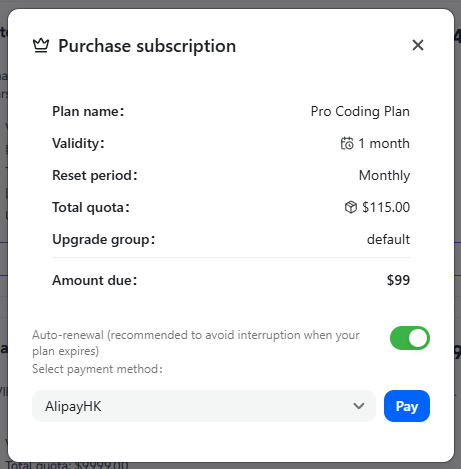
You can turn off auto-renewal at any time from the dashboard.
03 Smart API Key Routing
When creating an API Key, two routing strategies are now available in the group settings:
| Strategy | Logic | Best For |
| Cost Priority | Automatically routes to the lowest-priced available node | Dev/test, batch jobs, cost-sensitive workloads |
| Stability Priority | Routes to the fastest and most reliable node | Production, mission-critical services |
Additional security options when creating a Key:
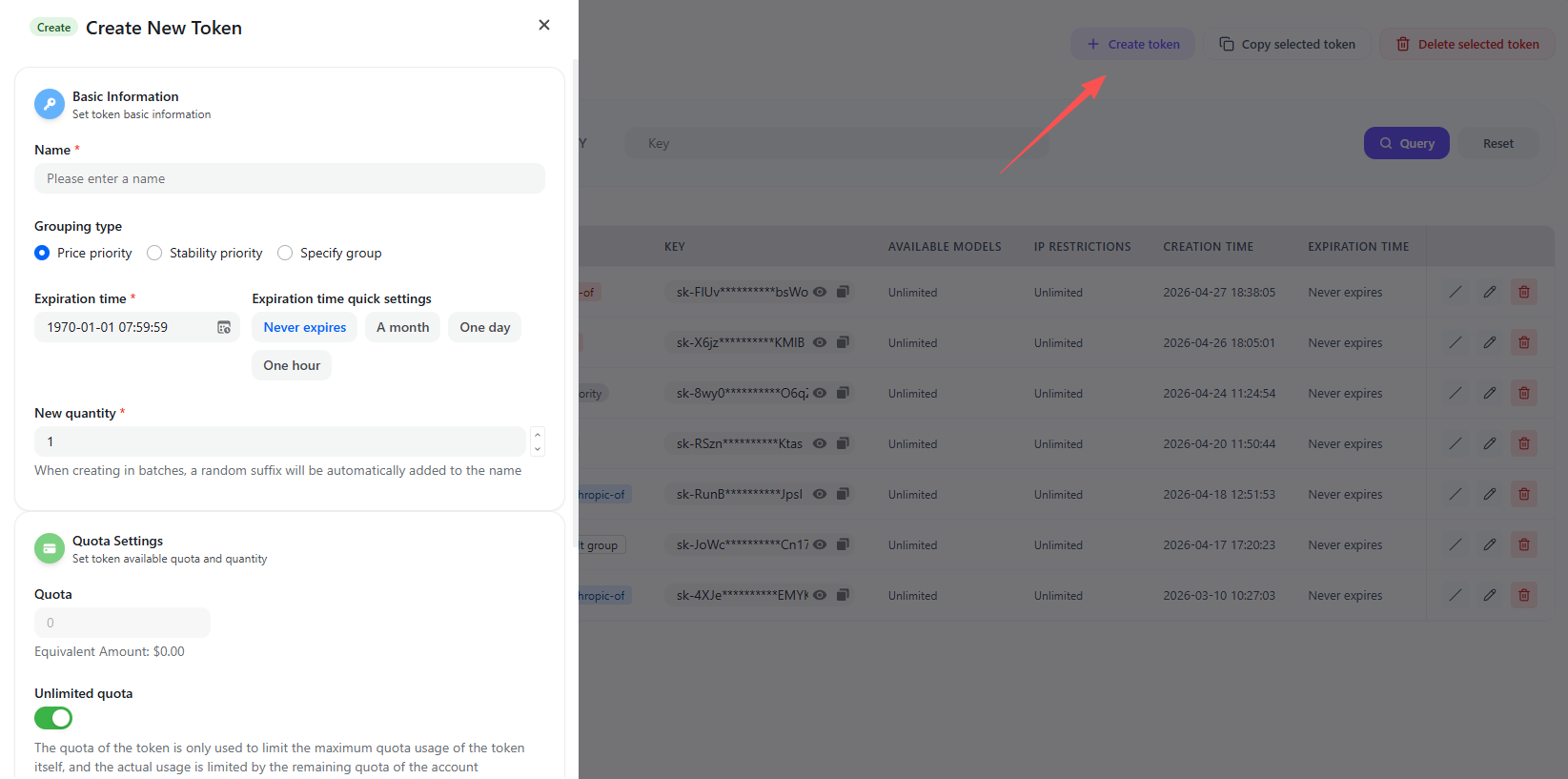
- Expiration — Permanent / 1 month / 1 day / 1 hour
- Spending Limit — Cap the maximum spend for the Key to prevent overruns
- IP Allowlist — Restrict which source IPs can use the Key
- Model Allowlist — Limit which models the Key can access
Ideal for teams distributing Keys with different permissions across members or projects.
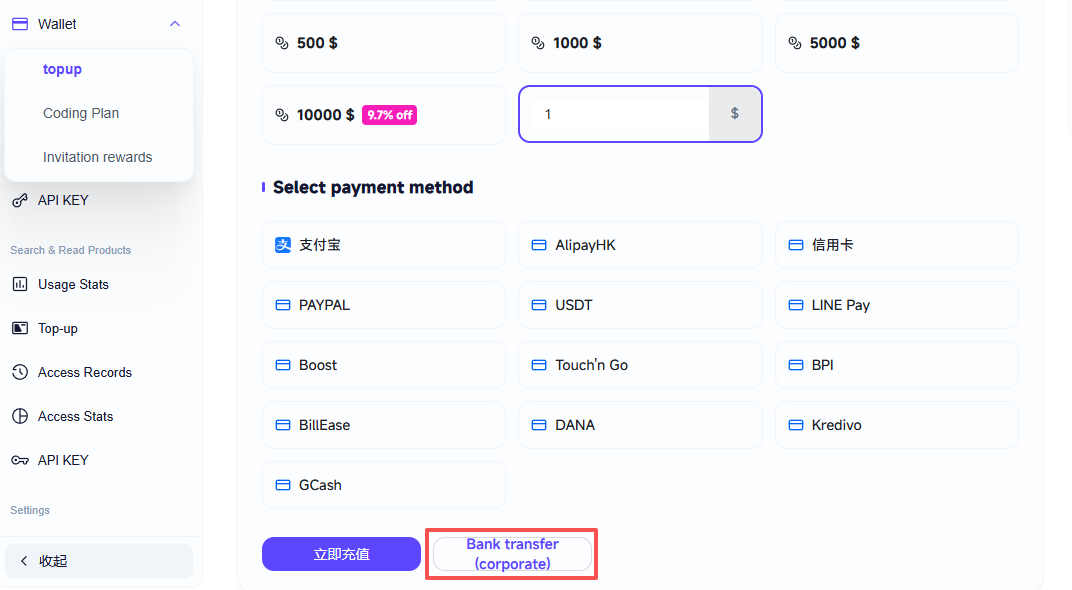
04 Wire Transfer Support
Enterprise users with larger deposit needs can now use wire transfer. Select this option during top-up and the system will display bank account details and transfer instructions. Your balance updates automatically once the transfer is confirmed.
All features are now live. Log in to the DataEyesAI Dashboard to get started.
You might also be interested

Decoding Token Economics: The AI Cost Revolution Underway
LLMs are getting cheaper — yet enterprise AI bills keep climbing. Where exactly does the money go?

For Developers: The Era of Model Freedom is Here! DataEyesAI Launches with 5 Free Models + 9 Special Offer Models!
DataEyesAI Model Plaza is now officially live.

DataEyesAI V1.0 Official Launch
DataEyesAI V1.0 is officially launched.