
Is Wan 3.0 Video Good for Ecommerce? DataEyesAI Product Ad Cases

Short answer: Yes. DataEyesAI lists wan3.0-video as a video model that accepts text, images, video, audio, files, and web links as references. It supports text-to-video, image-to-video, first-frame and first-and-last-frame control, and reference-based generation.
The DataEyesAI listing states that it can generate up to 1080p and 30-second videos with native audio-video generation.
It is a good fit for turning product images and brand assets into ecommerce ads, product showcases, and social videos. Add prices, packaging copy, product claims, and calls to action during post-production, then review the final video before publishing.
What Can Wan 3.0 Video Do?
Image-to-video: Animate a product image with camera motion, light, and environmental movement.
Reference-to-video: Use approved images, clips, audio, or web references to guide the result.
First-and-last-frame control: Define the opening and closing product frames.
Text-to-video: Turn a shot description into a quick creative prototype.
Audio-video generation: Build visuals with sound or music as part of the workflow.
DataEyesAI positions the model for advertising creatives, ecommerce product videos, brand marketing, and social content.
Three Practical Ecommerce Cases
Case 1: A 15-Second Skincare Ad

A skincare brand provides a clean serum packshot, brand colors, and licensed music. With image-to-video generation, the team can create:
1. 0-3 seconds: the bottle appears through a soft water reflection;
2. 3-8 seconds: the camera moves slowly around the bottle;
3. 8-12 seconds: a natural-light usage scene;
4. 12-15 seconds: a clean product end frame.
The team adds ingredients, price, and performance claims during editing so the information remains accurate.
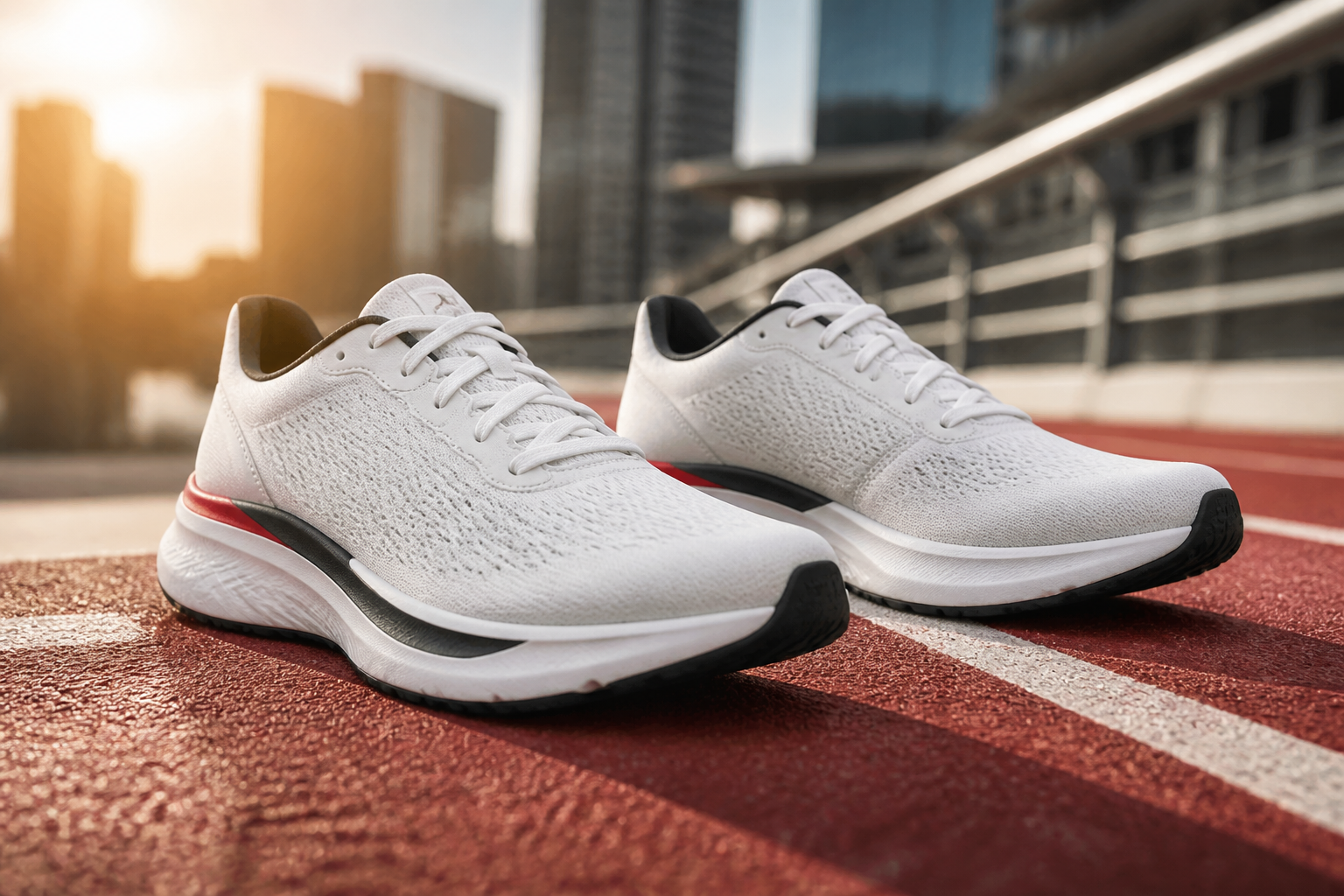
Case 2: Running Shoes for Social Media
Upload front, side, and sole images of the shoes. Prompt Wan 3.0 Video for a low-angle tracking shot on an urban track, with the shoe landing naturally and ending on a side product close-up. Generate several backgrounds and lighting styles, then keep the version with the best product consistency.
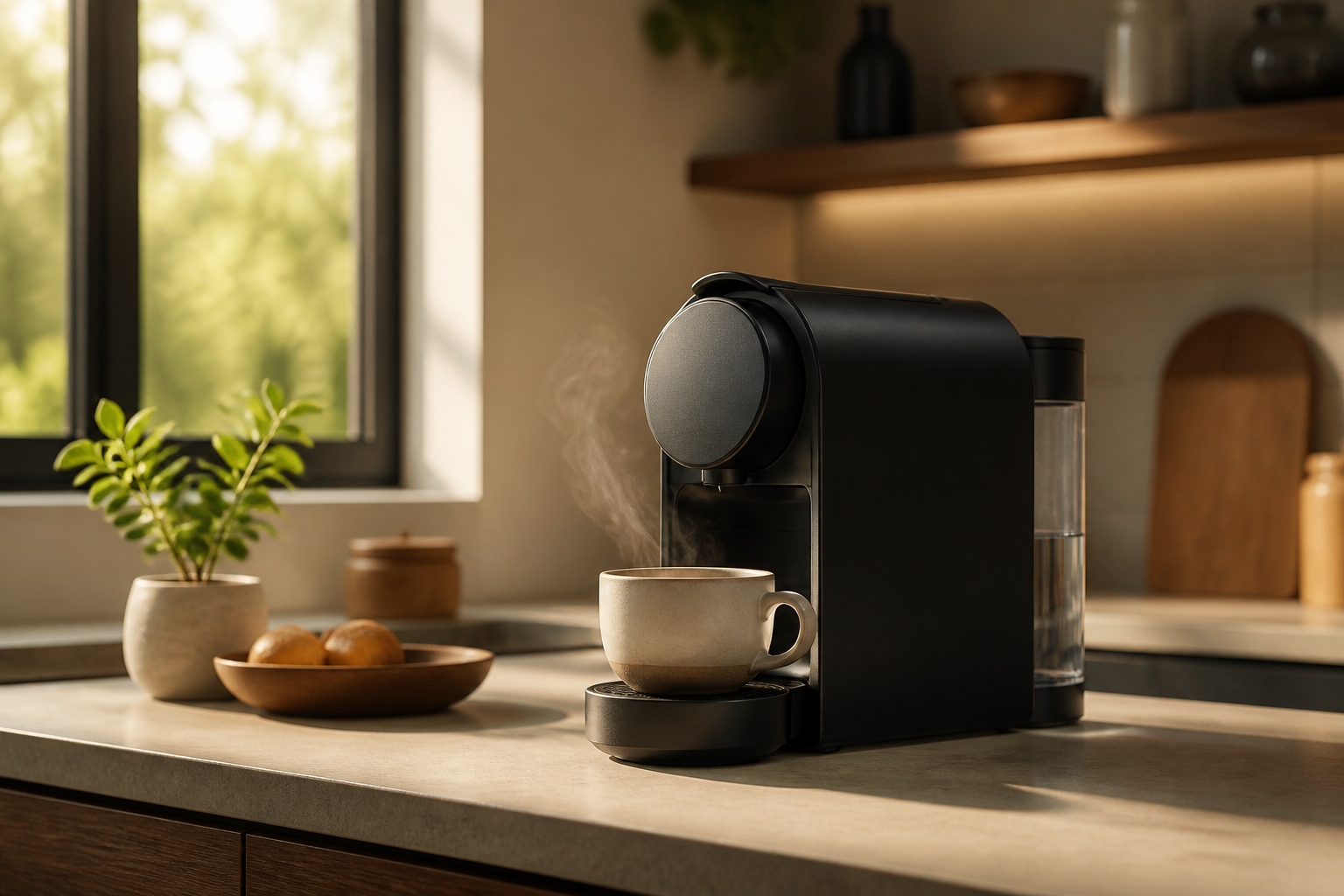
Case 3: A Lifestyle Video for a Coffee Machine
Provide the coffee machine image and a kitchen reference. Generate a warm morning scene with sunlight, coffee flowing into a cup, and light steam. This works well for product pages and social posts, but capacity, price, buttons, and other exact details should be added after generation.
A Simple DataEyesAI Workflow
1. Prepare the assets
Use clear front, side, and detail images. Add brand colors, approved reference footage, and licensed audio. If the packaging has small copy, add it later rather than asking the model to redraw it.
2. Select wan3.0-video
In the DataEyesAI model center or console, confirm that the model is available and check the current input types, resolution, duration, and price. Start with a short test before creating a batch.
3. Describe the shot clearly
A useful prompt specifies the subject, action, setting, camera, lighting, audio, and constraints:
Subject: The white running shoes from the reference image. Keep the shoe shape, sole, and colors unchanged.
Setting: An urban track at sunset with no other brands in the background.
Action: A low-angle camera follows the shoes moving forward, then ends on a clean side product close-up.
Style: Premium sports advertising, stable camera movement, realistic light and texture.
Constraints: Do not change the shoe shape. Do not add text, logos, or other products. Avoid flicker and deformation.
4. Submit and review the task
DataEyesAI video APIs use an asynchronous task workflow: submit a job, save the task_id, query its status, and download the video when it is complete. For batch production, save the SKU, asset version, prompt version, and generation cost with each task.
Pre-Publish Checklist
Is the product shape, color, and material accurate?
Are logo, packaging copy, price, and specifications correct?
Do hands, people, and product interactions look realistic?
Are audio, music rights, and model releases approved?
Does the aspect ratio, duration, and caption safe area match the channel?
Frequently Asked Questions
Can Wan 3.0 Video create a video from a product image?
Yes. DataEyesAI lists image-to-video, first-frame or first-and-last-frame control, and reference-based video generation.
What is the maximum video length?
The current DataEyesAI listing states up to 30 seconds. Available options depend on the current model and console settings.
Can I publish an AI-generated product video without review?
It is not recommended. Check the product, text, price, claims, music rights, talent permissions, and advertising rules before publishing.
Conclusion
Wan 3.0 Video is a practical choice for ecommerce teams that need product showcases, lifestyle ads, and social-media variations. Through DataEyesAI, teams can use the wan3.0-video model with multiple reference types and usage-based access through one AI platform.
Start with one real SKU and a 5-10 second test. Measure product consistency, usable-output rate, generation cost, and editing time before scaling up.
You might also be interested

How to Use DataEyesAI for AI Video Generation: From Text-to-Video to a Content Production Pipeline
DataEyesAI helps teams turn ideas into repeatable AI video workflows.

How a Brand Campaign Built Its Visual Pitch with GPT Image 2.5
DataEyesAI GPT Image 2.5 turns skincare ideas into campaign visuals.
Empowering OpenClaw: Five APIs from DataEyesAI to Help AI Agents Truly "See the World"
Empowering OpenClaw: Five APIs from DataEyesAI to Help AI Agents Truly "See the World"